How to Write Kling Prompts for E-commerce Product Videos

A cross-border seller spent an evening crafting what felt like a perfect Kling prompt for a hero product video. The result: the product wobbled through every frame, the label on the packaging rendered as unreadable gibberish, and the camera drifted in a direction nobody asked for. The prompt was full of vivid adjectives — “luxurious,” “premium,” “stunning” — but contained almost no actual control instructions.
The output quality of Kling depends far less on how evocative the language is and more on how the prompt is structurally organized. Subject, motion, camera, and lighting need to be separated into clear instruction blocks. Treat prompt writing as an operational skill, not a creative writing exercise, and the renders become predictable.
What a Kling Prompt Actually Controls
Kling interprets prompts through a structured understanding of scene components. The model responds to explicit instructions about what the subject is, where it sits in the environment, how the camera moves, and what the lighting does. When these elements are mixed into long descriptive paragraphs, the model’s attention gets diluted across redundant language.
A prompt for Kling 1.5 or 2.0 works differently than a brief for a human film crew. A human director can infer intent from loose language. The model cannot. It processes each phrase as a separate instruction, and when those instructions conflict or overlap, the render degrades. Short, componentized prompts consistently produce more controllable output than dense paragraphs.
Effective prompts typically land in the 60–100 word range. Going beyond that length measurably reduces how consistently the model holds the subject. The degradation is visible within a few renders — the product starts shifting, the background flickers, and the overall composition loses stability.
| Component | What it controls | Weak phrasing | Strong phrasing |
|---|---|---|---|
| Subject definition | Identity and appearance of the main object | “a nice-looking bottle” | “a clear glass perfume bottle with a black cap” |
| Camera movement | How the frame moves through the scene | “dynamic camera” | “slow push-in from 2 meters to 0.5 meters” |
| Lighting | Direction, quality, and color of light | “good lighting” | “soft overhead light with a warm 3200K tone” |
| Motion/action | What the subject does within the frame | “the product moves” | “the bottle rotates 90 degrees clockwise” |
| Style & aspect ratio | Overall look and frame dimensions | “cinematic” | “studio product photography, 9:16 vertical” |
The table above maps the five core components worth separating in every prompt. Each one gives the model a concrete parameter to execute rather than a vague impression to guess at.
Structuring Commercial Prompts for Product and Ad Video
E-commerce video prompts need to translate business goals into visual instructions. A hero product shot requires different framing than a packaging close-up. A lifestyle shot needs context and environment. A stop-scroll ad needs aggressive visual hooks in the first second.
The format matters as much as the content. Vertical 9:16 clips aimed at stop-scroll placements typically work best at 5–15 seconds, with the core product visible within the first 1–2 seconds. Horizontal 16:9 works better for site hero videos where the viewer has already committed to watching.
Text and logo rendering on packaging remains one of the trickiest areas. Kling handles short, high-contrast text reasonably well when the prompt specifies it explicitly. “The label reads ‘COFFEE’ in white bold letters” produces better results than “a coffee bag with a label.” Brand colors need the same treatment — naming the exact hex-adjacent color (“deep red and gold accents”) keeps them consistent across multiple clips.
For commercial deadlines, starting from a proven template beats writing from scratch. Teams that ship product videos regularly keep a library of vetted prompts they remix per project. A coffee brand campaign might start from an example of a coffee latte commercial prompt and swap in their own product description, packaging details, and color palette.
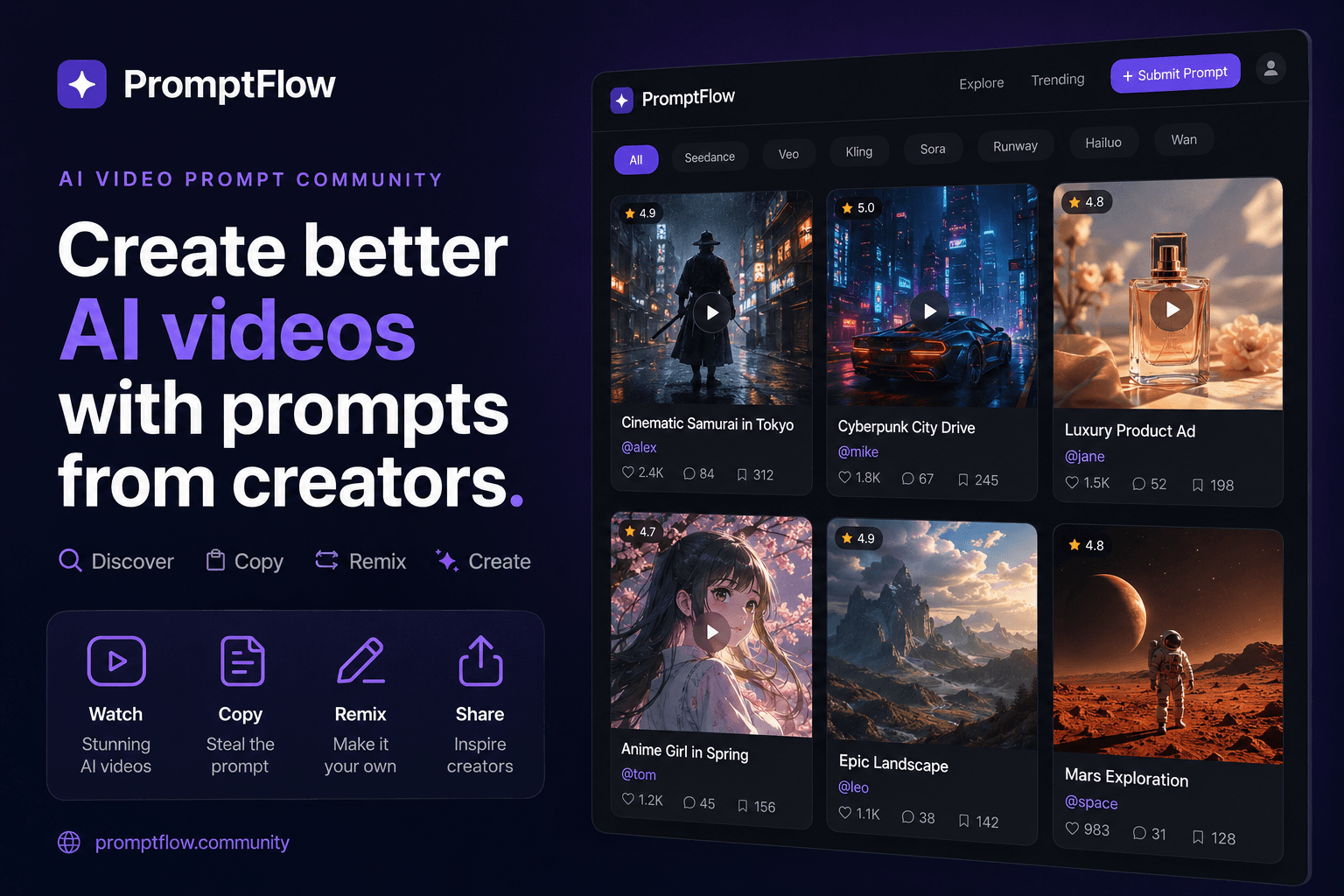
The same logic applies to broader exploration. When a team needs fresh angles for a campaign, browsing curated examples of commercial video prompts across different models can surface structural approaches worth borrowing.
E-commerce teams increasingly pull vetted commercial templates from libraries like VideosPrompt rather than engineering every prompt from zero. The pattern is simple: find a prompt that already produces clean output, copy it, swap the product-specific details, and re-render. This cuts the iteration cycle from hours to minutes.

Writing Camera and Motion Language Kling Actually Follows
Camera instructions need to match what the model can reliably execute. Push-in, orbit, tracking shot, static first-person POV, dolly, and slow pull-back all work consistently. More abstract directions like “dynamic camera movement” produce unpredictable framing.
Sequence motion in temporal order rather than stacking isolated clauses. “As the camera pushes in, the product rotates” tells the model when each action happens relative to the other. “Camera pushes in. Product rotates” leaves the timing ambiguous, and the render often picks the wrong order or merges the two motions into something unstable.
Motion intensity needs explicit control. Kling interprets intensity through the language used to describe speed and scale. “Slow” and “gentle” produce different physics than “fast” and “rapid.” The model maintains stable physics better at moderate intensity settings.
Lighting cues interact with camera movement in ways that matter for product shots. Reflections on glossy surfaces shift as the camera moves, and specifying that relationship improves realism. A light sweep across a bottle’s surface combined with a slow push-in produces a polished commercial look.
Over-specifying camera movement is the most common cause of subject warping in Kling renders. Clips with one dominant camera move per sequence fail less often than clips combining three or more moves. The model struggles to track a subject while executing complex multi-axis camera choreography.
I tested this directly. A prompt asking for an orbit plus a dolly plus a light sweep in one render produced a distorted product silhouette in the first three attempts. Each render took roughly 4–6 minutes, so the wasted time added up quickly. The fix was cutting to a single push-in move. The fourth render came back clean, with the product holding its shape through the entire clip.
For camera-driven shots, pulling a proven template saves real time. A creator can grab a reflective-surface footwear shot example from a prompt library like VideosPrompt rather than engineering motion language blind and burning renders on trial and error.
Refining Renders When the Model Misses
The iteration loop matters more than the initial prompt. When a render comes back wrong, the instinct is to rewrite everything. That approach makes it impossible to know which change fixed the problem. Changing one variable per re-render isolates the cause.
I keep a simple workflow for this. The first pass establishes the baseline — subject, camera, lighting, all set to conservative values. The second pass adjusts the single most likely failure point. If the product warps, I tighten motion intensity. If text breaks, I add a constraint specifying the text more precisely. If the composition feels off, I adjust the framing language.
A negative-style constraint helps when text or logos keep breaking. Kling responds to explicit prohibitions like “no text distortion” or “keep the logo unchanged” when placed after the main instructions. The phrasing works best when it describes what to preserve rather than what to avoid.
Aspect ratio and seed control consistency across a batch of clips. Fixing the seed while varying only the prompt keeps the base generation stable. Fixing the aspect ratio ensures all clips in a campaign share the same frame dimensions. For a DTC product page with multiple videos, this consistency matters more than any single clip’s polish.
Treating rendering as an iteration loop of 2–3 passes, with exactly one variable changed per pass, cuts the number of rejected clips noticeably compared with full-prompt rewrites on every attempt. In my own workflow, the rejection rate dropped from roughly half of all renders to under a quarter once I stopped rewriting wholesale.
The practical habit is remixing prompts already known to produce clean output. Debugging a badly written prompt from zero wastes renders. Starting from a KITKAT commercial prompt that returns clean output and swapping in product-specific details gets to a usable clip faster than any amount of prompt theory. The same principle applies across models — prompt patterns validated across video models tend to transfer reasonably well, though Kling-specific tuning is still necessary.
FAQ
How long should a Kling prompt be to get reliable results?
Keep it between 60 and 100 words. Prompts longer than that start to dilute the model’s attention, and the subject becomes less consistent across frames. Under 60 words usually means missing critical control instructions for camera or lighting.
What aspect ratio and camera instructions work best for product videos in Kling?
For social placements, use 9:16 vertical with the product visible in the first 1–2 seconds. For site hero videos, 16:9 works better. Stick to one dominant camera move per sequence — push-in, orbit, or slow pull-back — rather than combining multiple moves.
How do I stop Kling from distorting text or logos on product packaging?
Specify the text explicitly in the prompt, including the exact wording and color. Add a preservation constraint like “keep the logo unchanged” after the main instructions. Short, high-contrast text renders more reliably than long or low-contrast text.
Can I reuse a prompt across different AI video models, or is it Kling-specific?
The structural principles transfer, but the exact phrasing needs tuning. Kling responds well to componentized instructions with explicit camera and motion language. Other models like Seedance or Veo interpret similar structures differently, so expect to adjust intensity and style descriptors per platform.
Share Article


