Seedance 2.5: Writing Product Video Prompts for Ecommerce

The scenario is familiar to anyone running a cross-border store: a product needs a consistent showcase video for a marketplace listing, an ad placement, and maybe a social cut. There is no studio, no reshoot budget, and the model quietly drifts on label color and bottle shape between generations. One render looks right, the next one swaps the cap for a pump, and the third decides the packaging should be a different shade entirely.
Seedance 2.5’s fidelity gains are real, but they only pay off if the prompting discipline that worked for 2.0 is deliberately reworked. The model now holds onto more of what you specify — which means it also holds onto what you specify carelessly. Treating prompting as a production workflow rather than a creative art is the difference between a usable catalog asset and a folder of near-misses. Output quality is no longer the bottleneck; prompt structure is.
What changed in Seedance 2.5 that affects product video work
Positioning 2.5 against 2.0 is best done through what it changes for product-video prompting, not through a spec sheet. The upgrade is prompt-side: output fidelity, motion coherence, and the way packaging identity holds up across frames all improved. A bottle that spins on a turntable stays the same bottle from the establishing shot to the close-up. That was not reliably true in 2.0.
The catch is that old 2.0-era prompt habits carry over imperfectly. Prompts written for 2.0 often leaned on loose descriptive language, trusting the model to fill in the gaps. In 2.5, those gaps get filled with whatever the model improvises — and improvisation is exactly what causes catalog-wide reshoots. For ecommerce operators, the practical implication is straightforward: the model’s output quality is no longer the limiting factor. Prompt structure is.
A typical usable product showcase prompt runs roughly 60–120 words, split across subject, motion, camera, and lighting blocks. Short prompts — the kind that worked passably in 2.0 — leave identity attributes open to interpretation. The model will interpret them, just not the way you intended. For a baseline comparison of what changed between versions, the Seedance 2.0 prompting guide documents the older conventions that now need reworking.
Anatomy of an ecommerce product prompt for Seedance 2.5
The reliable way to write a product prompt for 2.5 is to break it into reusable blocks: subject, action, camera, lighting, environment, and the identity block. Each block controls a different aspect of the render, and each needs a different level of detail.
Write the identity block first. That is the one holding the brand-specific attributes that must not change — label, color, shape, nozzle, size. Everything else can flex. The subject block states what the product is and its state: a full bottle, a half-empty one, a cap off. The action block covers motion, whether the product moves or the camera does. Lighting specifies source and mood. Environment handles background and surface.
Over-specification backfires in 2.5. The model weights attributes by order and emphasis, so a prompt that lists six lighting adjectives alongside one color descriptor will treat lighting as the priority. Component order influences how the model weighs attributes, which means the identity block should come early and stay sparse. Omitting the identity block entirely is the single most common cause of unusable product renders in 2.5 — the model will invent a label, and it will be wrong.
Using a reference commercial as a structural template beats writing blind. A beverage ad that works visually can be decomposed into its blocks and reassembled for a different product. Structuring a beverage commercial prompt this way gives a concrete starting point. Neighboring tools share structural conventions — a Google Veo prompt generator uses the same block logic, so habits transfer.
| Prompt block | What it controls | Example fragment |
|---|---|---|
| Subject | What the product is and its state | glass bottle of pink lotion, cap off |
| Action | Motion of product or camera | bottle rotates slowly on turntable |
| Lighting | Source and mood | soft studio light, warm highlights |
| Environment | Background and surface | matte black surface, clean backdrop |
| Identity | Brand-specific attributes that must not change | pink label, white nozzle, 200ml size |
Keeping product identity stable across generations
The identity block is the guard against drift. Label, color, shape, packaging details — these must survive regeneration, and in 2.5 they will, if they are named. A brand-consistent render depends on naming the label, nozzle, and color explicitly. Leaving any of them unstated lets the model improvise, and improvising is what causes catalog-wide reshoots.
One ecommerce brand ported its existing 2.0-era prompt set to Seedance 2.5 without updating the identity blocks. Outputs began drifting on a beauty product’s label color and nozzle positioning — the pump became a flip cap in some renders, the label shifted from coral to salmon in others. The result was a catalog-wide re-render that stretched across roughly two weeks of production time. The prompts were not broken; they were just written for a model that tolerated vagueness.
When 2.5 reinterprets a brand attribute anyway, tightening wording beats fixing the prompt after the fact. A single stray adjective can override the intended product look, so wording must be deliberately sparse around the identity block. Higher fidelity in 2.5 means stray adjectives carry more weight than they did in 2.0. One descriptive word — “glossy,” “minimal,” “premium” — can quietly change the packaging.
Cross-border operators face an additional wrinkle: localized packaging variants. Label language and region-specific sizing need to be handled in the same prompt, which means the identity block has to specify which variant is being rendered. The discipline used in beauty and food categories, where aesthetics matter most, applies here. Keeping beauty packaging identity stable is a working example of how tightly the identity block needs to be written. For broader consistency patterns across categories, a curated list of Seedance 2.0 prompts shows how the same identity discipline carries over.

Building a reusable prompt library for your catalog
Treating prompts as versioned assets rather than one-off experiments is what makes consistent catalog output possible at scale. A SKU that needs re-rendering next quarter should not require re-drafting from scratch. It should require pulling up the validated prompt, confirming the metadata, and running it again.
The realistic maintenance overhead is modest. A working library of 15–20 validated prompts per product category covers most listing and ad variations without re-drafting. That number assumes the prompts are versioned — model, date, category, and notes attached — so regressions are traceable. When a render drifts, the metadata tells you whether the prompt changed or the model did.
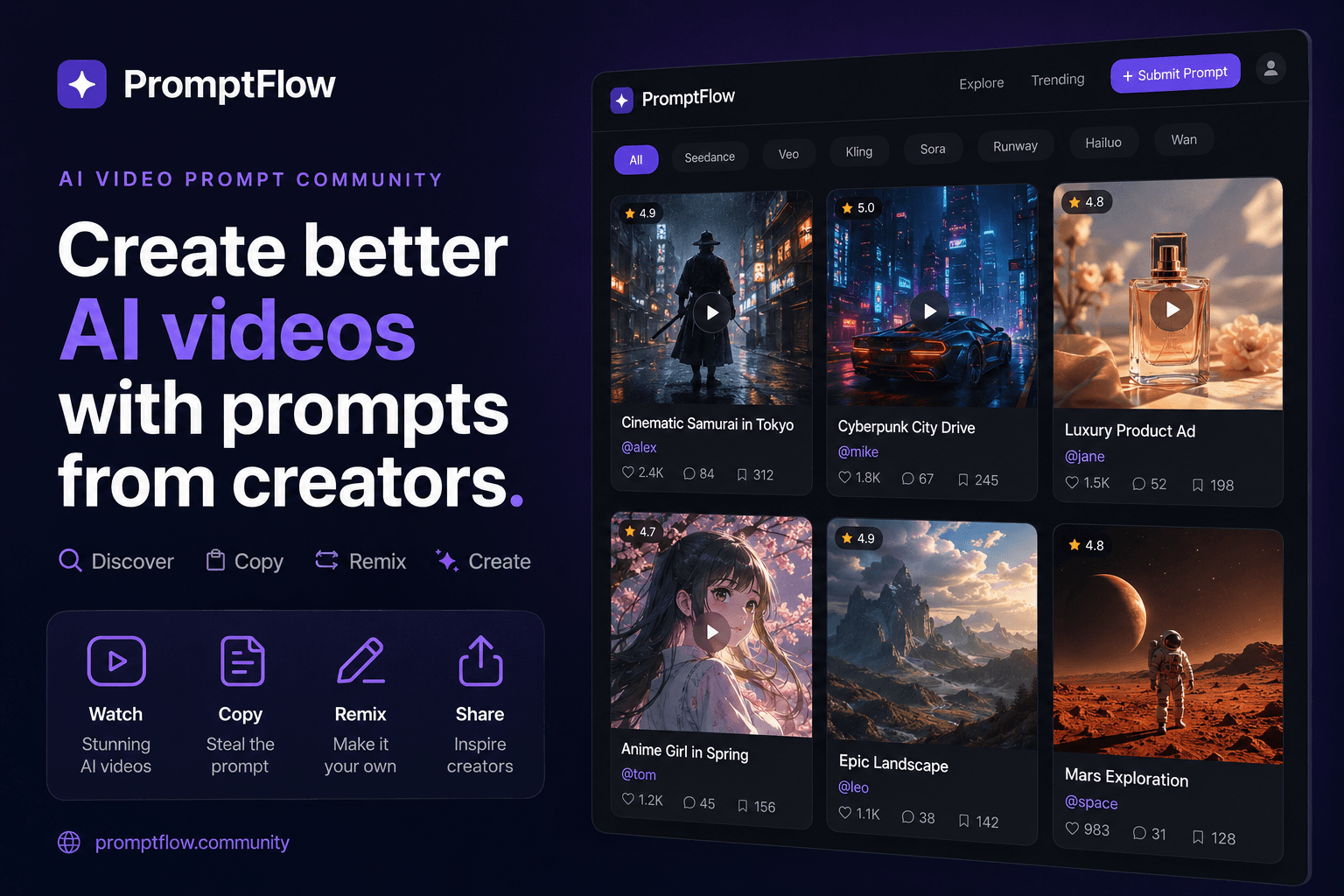
Starting from community-validated prompts beats drafting from a blank document. An operator pulling a proven prompt from a community-curated source like VideosPrompt to copy and remix instead of starting from zero saves hours per SKU. Remixing rather than rewriting is reliably faster, and the validation is already done — someone else has confirmed the prompt produces usable output. Catalog-specific entries, like a beauty product commercial prompt example, slot directly into the library with minimal adjustment.
The workflow is straightforward: discover a prompt that works, copy it, remix the identity block for your product, validate the render, and file it with metadata. The library grows one SKU at a time, and each entry makes the next one faster.
FAQ
What is Seedance 2.5 and how is it different from Seedance 2.0?
Seedance 2.5 is an update to ByteDance’s video generation model that improves output fidelity and motion coherence. For product video work, the key difference is that it holds onto specified attributes more reliably across frames — but it also holds onto careless wording, so prompts need to be more structured than they were for 2.0.
What should an ecommerce product prompt for Seedance 2.5 include?
A working prompt runs 60–120 words split into subject, action, camera, lighting, environment, and identity blocks. The identity block — label, color, shape, nozzle, size — comes first and stays sparse. Omitting it is the most common cause of unusable renders.
How can I stop the model from changing my product’s label or colors between generations?
Name the label, nozzle, and color explicitly in the identity block and keep wording sparse around it. Each unstated attribute is an invitation for the model to improvise. If drift still happens, tighten the wording rather than adding more adjectives.
Can I reuse prompts written for other AI video tools with Seedance 2.5?
Structurally, yes — the block logic transfers across tools like Google Veo. The identity block needs reworking because 2.5 weighs attributes differently. A prompt that worked in another tool will likely need its identity attributes restated more explicitly.
How much detail is too much in a Seedance 2.5 product prompt?
Detail is fine in the subject, action, and environment blocks. In the identity block, extra adjectives work against you — a single descriptive word can override the intended product look. Keep the identity block to bare attributes and nothing else.
Share Article


